Friday

Weekly Express

Since I tend to spend way too much time reading other writer's blogs, I thought I would deliver some of the better ones I find. Here are this weeks articles delivered by the Weekly Express:

How to Write the Hard Stuff, by Rachel Aaron.

25 Things You Should Know About World Building, by Chuck Wendig.

A new crop of literary novels explores our internet dystopia, by Charlie Jane Anders.

On Writing, by John Brown.  This article is an older one, but still a lot of useful information.

Our book of the week, On Writing: 10th Anniversary Edition: A Memoir of the Craft, by Stephen King has been around a while, but it is the type of book you reread more than once.  It is entertaining and inspiring, interspersed with writing advice delivered in King's usual short and snappy manner.  A must read for any writer.

As always, enjoy and feel free to leave comments with your own favorites, or even plug your own articles!

Tuesday

How I Plot a Novel

I stumbled across this article yesterday and thought it was worth sharing.  It is an insightful article into the writing habits of Rachel Aaron.  I always love to see the process other writers use when creating their stories.

By popular request (ok, 1 person, but they're populace, so that makes it popular, right?) I've put together a step by step process for how I go from "Hey I should write a novel" to "Ok, let's get writing!" Though I managed to get things grouped into steps, what I've really done is labeled and applied order to the phases I go through as I work toward the point where I feel I know enough about a book to start writing. Some parts of my process may seem a bit obsessive, but the most important part of writing fast is knowing as much as you can about what you're writing before you write it, and that means lots and lots of planning.
Planning a novel takes me anywhere from a few days to weeks. Usually I plan while I'm working on other things, like editing, but I've also had whole weeks where I did nothing but put a story together.

Click here to read the full article.

Wednesday

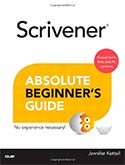
Scrivener Absolute Beginner’s Guide


Scrivener Absolute Beginner’s Guide
by Jennifer Ackerman Kettell

Written by working novelist and experienced computer book author Jennifer Kettell, this guide doesn't just present features and menus: it presents Scrivener in the context of your creative workflow, so you can make the most of this amazing software. Kettell draws on years of Scrivener experience and private tutoring to help you use Scrivener in both fiction and non-fiction projects, including screenwriting and academic writing. Buy from Amazon (Kindle, Paperback).

Far more than a word processor, Scrivener helps you organize and brainstorm even the most complex writing project, bring together your research, and write more efficiently and successfully than ever before. Long available for Mac, there’s now a Windows version, too. Thousands of writers and aspiring writers are discovering this powerful, low-cost tool. Now, there’s an up-to-the-minute, easy guide to the latest versions of Scrivener for both Mac and Windows: Scrivener Absolute Beginner’s Guide . 
Written by working novelist and experienced computer book author Jennifer Kettell, this guide doesn’t just present features and menus: it presents Scrivener in the context of your creative workflow, so you can make the most of this amazing software. Kettell draws on years of Scrivener experience and private tutoring to help you use Scrivener in both fiction and non-fiction projects, including screenwriting and academic writing. 
This book is as authoritative as it gets. Kettell not only wrote it in Scrivener: screen captures show her work in progress, and identify powerful ways to use Scrivener to improve productivity. Her book has been tech edited by the Literature & Latte software team member who serves as main liaison for the Scrivener Windows product to ensure that the Windows version is covered as thoroughly as the Mac version. 
You’ll learn how to:
·    Integrate Scrivener into your own personal workflow
·    Get to know Scrivener’s interface and customize it to your workstyle
·    Write, organize, storyboard, plot, and edit your document
·    Create custom templates to manage manuscripts, brainstorming, and research
·    Use keywords and metadata to keep track of complex projects
·    Track your progress and backing up your work
·    Generate a completed manuscript
·    Create an e-book from your manuscript
·    Discover new uses for Scrivener 
Throughout, Kettell clearly identifies differences between the Mac and Windows versions of Scrivener, so you’re never frustrated by searching for a feature that isn’t there. Scrivener Absolute Beginner’s Guide is simple, clear, non-technical, and written from the viewpoint of a professional writer for other writers. It’s the Scrivener guide thousands of writers have been waiting for. 


Buy from Amazon (Kindle, Paperback).


If you decide you like this great software, grab this Scrivener Coupon for 20% off.

Tuesday

Scrivener - Three tips and a Warning

Recently I wrote the YA version of one of Jared Diamond’s books. It was the first long project I’d begun in Scrivener. I’d imported a couple of WIPs into Scrivener, but starting a manuscript from the ground up in the program gave me new insights into its usefulness.

I also made a Scrivener mistake I’ll never make again.

Today I’m passing on three tips–which are really appreciations of Scrivener features I found especially handy–and a warning against that dumb mistake.

more here - Using Scrivener: Three tips and a warning – R.S. Stefoff.

If you decide you like this great software, grab this Scrivener Coupon for 20% off.

Monday

Automatic Remote Backups in Scrivener

Whether you write fiction or non-fiction, short articles or full-length books, casual or academic, Scrivener is
easily the best tool on the market. It’s simple to get started with, smartly-designed, and extremely robust. I use it for everything: outlining and drafting, short stories and novels, even articles for this website.

Since I’ve recently made a career transition whereby I’m now making my living with my writing, it’s become important to ensure the data security of that writing. And there’s a simple trick with Scrivener that makes this process painless, invisible, and foolproof.

more here - Automatic Remote Backups in Scrivener | Third Helix.

If you decide you like this great software, grab this Scrivener Coupon for 20% off.

Sunday

Introduction to Scrivener for Novelists

When the first version of Scrivener for Windows came out in 2011, I put off following up on it because I was
busy, and because it was the first version, but last fall I decided to take the plunge.  Even though I’ve only scratched the surface, I’m glad I did.  I have always been a very linear writer, and I think that’s largely because of the structure imposed by a novel-length file in any word processing program.  Scrivener breaks a project into manageable pieces, and lets you work on them in any order without losing control of the whole.  The option of jumping easily from one section (or scene) to another is one of the features I am fast coming to love in Scrivener.

via Introduction to Scrivener for Novelists | Kay Hudson.

If you decide you like this great software, grab this Scrivener Coupon for 20% off.

Saturday

How To Format A Perfect Novel: Part 1 (File Organization)

Okay, that headline is a mouthful. But then again, this post is a mindful. See what I did there? Mindful? Like
it will fill your mind?

Oh, you.

Formatting your novel is incredibly important. Too many indie authors and publishers put out books that look just like everyone else’s.

more here - How To Format A Perfect Novel: Part 1 (File Organization) : Garrett Robinson.

If you decide you like this great software, grab this Scrivener Coupon for 20% off.