
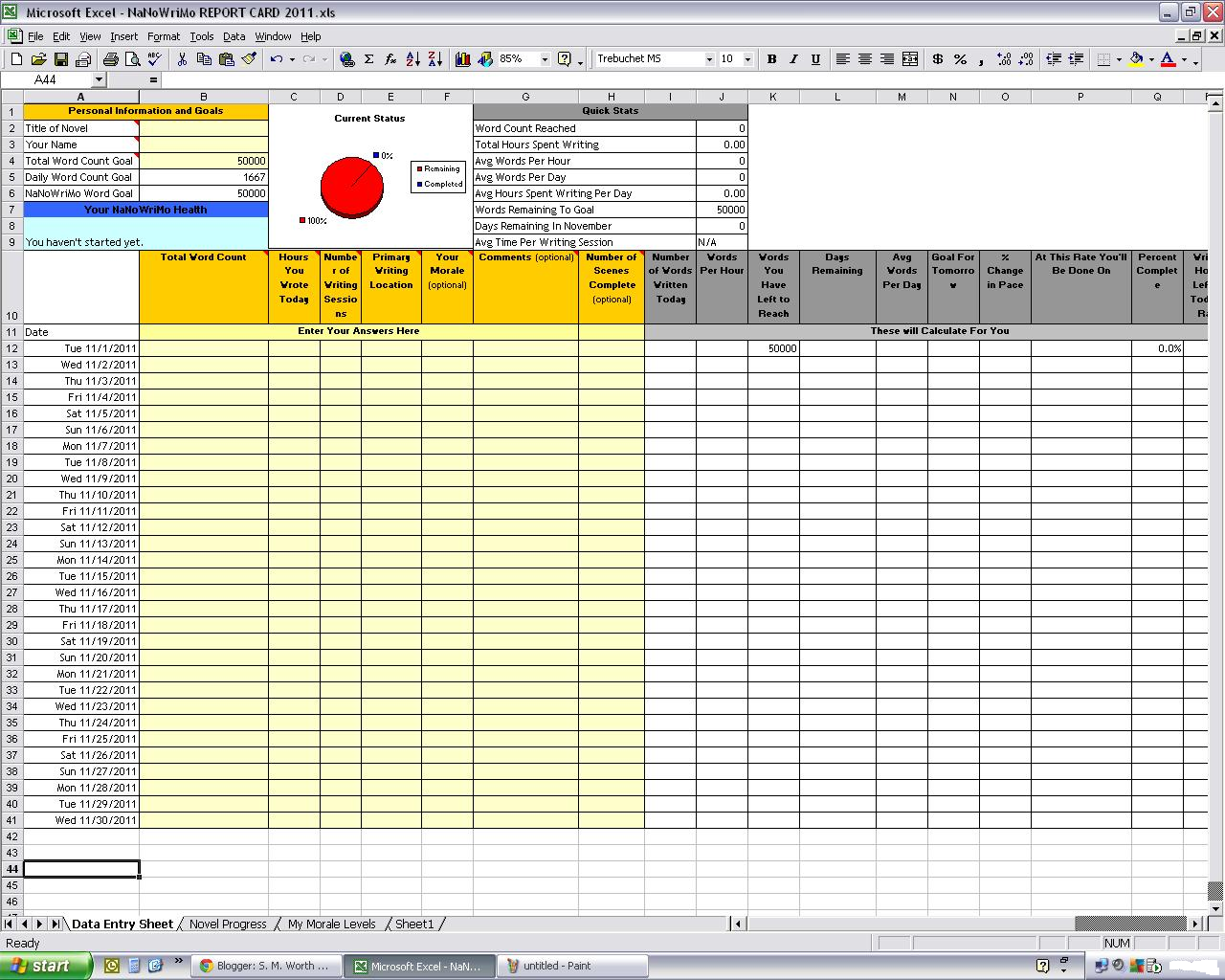
To keep with the NaNoWriMo theme, here is a simple spreadsheet for those of you that want a handy way to track your NaNoWriMo progress.
All you do is fill in the blanks of any yellow shaded areas and then the sheet will track your daily and monthly achievements for you! Click the photo for a larger image. You can download a copy of the NaNoWriMo Report Card here.
Don't forget to grab you're copy of Scrivener just in time for NaNoWriMo. Use the Scrivener Coupon Code to get 20% off today and get those creative juices flowing.
You'll be able to track
- Daily word count
- Monthly word count
- Number of scenes written
- Number of writing sessions per day
- Words per hour
- Words left until goal
- Average words per day
- Tomorrow's goal
- And much more!
I hope you can make use of it. Feel free to change and alter as you wish. Only one month to go. Have fun and keep writing.
Be sure to check out Scrivener to make your life easier during NaNoWriMo Scrivener Coupon Code
Be sure to check out Scrivener to make your life easier during NaNoWriMo Scrivener Coupon Code

21 comments:
Hi
followed a link to this from the NaNo forums and it's great.
Thankyou
Glad you both like it! I actually found it a year or two ago and just updated it for 2011. So, I can't take credit for the design. I like it too.
Thank you so much for this! I used this one last year too. I'm so glad you've updated it as I actually had no idea where to begin! :P
Thanks for this!!
This is a great sheet. I've used it with various writing projects, and it helps keep me on track.
I only downloaded the 2009 version. I didn't know how to update it so I'm glad you did. :D Greetings fellow NaNoer. :)
Glad to be of help! Can't believe it's less than two days until NaNoWriMo.
Thanks so much for posting. Love Excel sheets like this one, but not the best at making them!
Found this with google. Thanks so much; I really didn't want to have to create one myself and this is perfect!
The sheet doesn't work. It subtracted my second day total from the first day and gave me a negative number. What gives?
It works, but the first column you are entering in is TOTAL word count. You actually have to add day 1 + day 2 and put it in that box. Then the column where you had a negative will show that days word count. It's the way the form was designed years ago, like I said I just update it.
So if you wrote 1500 words on day one you put 1500 in the first column. Then if you write 1500 words again you put 3000 for your TOTAL word count in the first column. Then most of the other columns will update including WORDS WRITTEN TODAY, which will correctly read 1500 words for both days.
I hope that helps Laraad.
This looks really neat! Can I still get a copy?
Thanks Deniz for catching the broken link. It should be available again and updated for 2012! :)
Neat, thank you!
Thank you!
You're welcome! Glad to help. :)
Thanks for sharing this. I love it. I'll use it on all my novels!
Glad you like it Greta!
Kudos! Much appreciated during my December continuation of Nanowrimo!
I miss your report card! Wish you had a 2019 version.
Post a Comment